
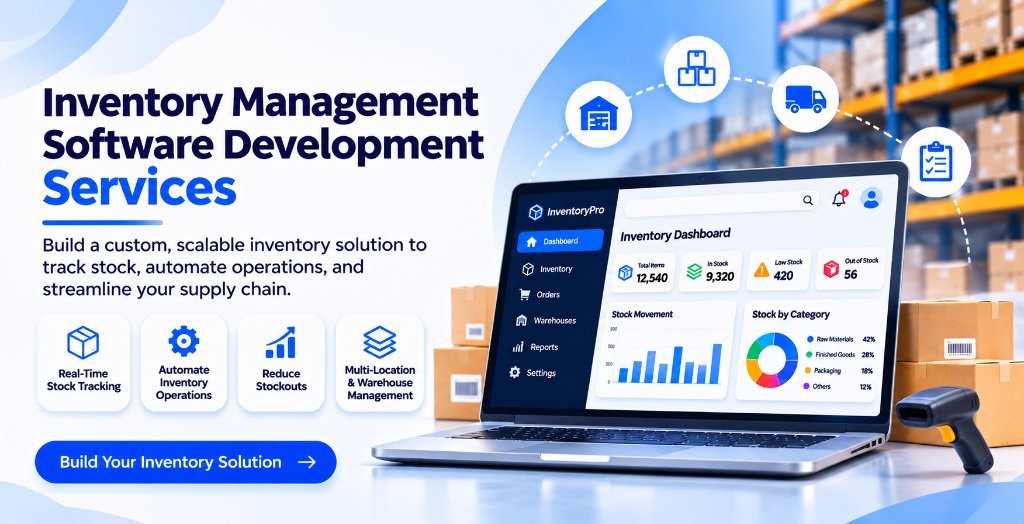
Inventory management is one of the most important activities for businesses dealing with products, warehouses, manufacturing, wholesale, and retail operations. Managing stock manually may work when a business is small, but as orders increase and product categories expand, spreadsheets and manual records become difficult to maintain.
Businesses often face problems such as incorrect stock counts, delayed updates, overstocking, unexpected shortages, and difficulty tracking products across multiple locations. These issues can affect customer satisfaction, increase operational expenses, and reduce profitability.
A well-designed inventory management system helps businesses bring these activities together through a centralized digital platform. With the right technology, companies can monitor stock levels, manage purchases, track product movement, and make informed decisions.
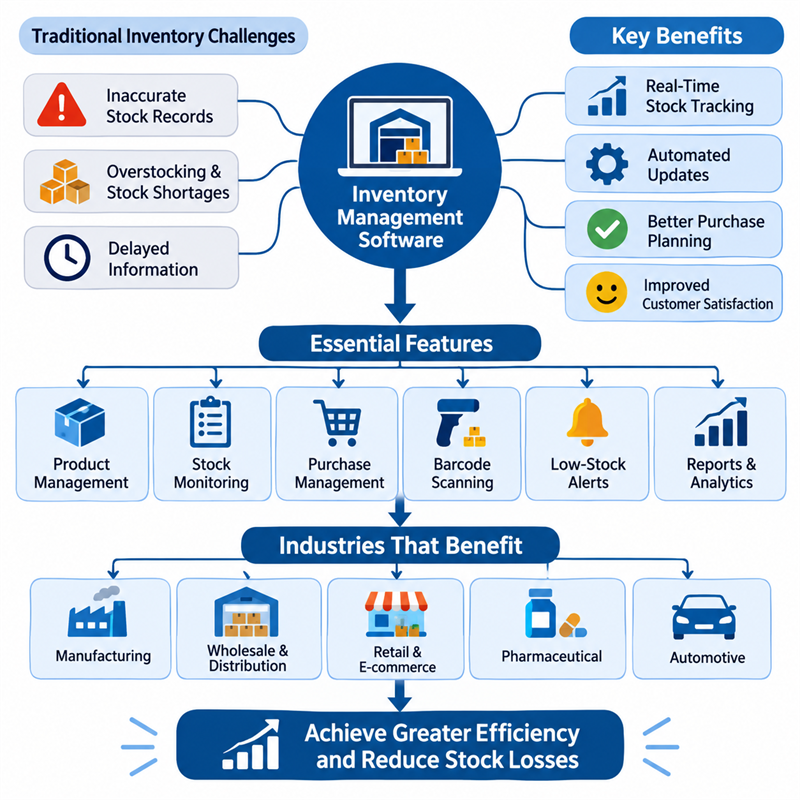
1. Why Traditional Inventory Management Creates Problems
Many businesses still depend on spreadsheets, handwritten records, or disconnected software to manage inventory. These methods can create several operational challenges.
Common inventory management problems include:
- Incorrect stock records: Manual entries can result in inaccurate inventory information.
- Overstocking: Purchasing more products than required increases storage costs and ties up working capital.
- Stock shortages: Businesses may run out of popular products because stock levels are not monitored properly.
- Delayed information: Employees may not have access to updated inventory records.
- Poor warehouse coordination: Managing stock across multiple warehouses becomes complicated.
- Difficulty tracking products: Finding product movement, damaged goods, and missing stock can consume valuable time.
These problems make it difficult for business owners to maintain control over their inventory and plan future operations.
2. How Inventory Management Software Solves These Challenges
Inventory management software provides a centralized system for recording, monitoring, and managing products. Instead of depending on multiple spreadsheets, businesses can access important inventory information through one platform.
Here are some ways it improves business operations.
Real-Time Stock Tracking
A digital inventory system allows employees to monitor available stock and update records whenever products are purchased, sold, transferred, or returned.
This gives managers better visibility into inventory levels and helps them identify products that need immediate attention.
Automated Stock Updates
Manual stock updates can create inconsistencies between sales, purchasing, and warehouse records.
Inventory software can automatically adjust stock quantities when a transaction takes place. This reduces repetitive work and helps maintain more accurate records.
Better Purchase Planning
Businesses need to maintain sufficient stock without purchasing unnecessary quantities.
Inventory management software can help identify low-stock products, monitor purchasing patterns, and support reorder planning. This makes procurement more organized and reduces the chances of unexpected shortages.
Multiple Warehouse Management
Businesses operating from different locations need a reliable way to track inventory across warehouses.
A centralized system can help managers view available quantities, record stock transfers, and monitor product movement between locations.
3. Essential Features of a Custom Inventory Management System
Every business has different inventory requirements. A manufacturer may need raw material tracking, while a retailer may prioritize product sales and stock availability.
A custom inventory platform can include features based on the company's operational needs.
Important features include:
- Product Management: Maintain product names, categories, SKUs, descriptions, and pricing information.
- Stock Monitoring: Track available, reserved, damaged, and incoming inventory.
- Purchase Management: Record supplier details, purchase orders, and incoming stock.
- Sales Integration: Automatically update inventory when sales transactions are completed.
- Barcode and QR Code Scanning: Simplify product identification and stock movement.
- Low-Stock Alerts: Notify employees when products reach predefined stock levels.
- Warehouse Management: Monitor inventory across multiple storage locations.
- Reports and Analytics: Generate reports on stock movement, purchasing, and inventory performance.
- User Access Management: Assign different permissions to warehouse employees, managers, and administrators.
These features can be selected according to business size, industry, and workflow requirements.
4. Industries That Can Benefit from Inventory Management Software
Inventory management is not limited to retail businesses. Several industries depend on accurate stock information to maintain smooth operations.
Manufacturing Companies
Manufacturers need to manage raw materials, work-in-progress products, and finished goods. Inventory software helps track material availability and supports better production planning.
Wholesale and Distribution Businesses
Wholesalers handle large product quantities and frequent orders. A centralized inventory system helps monitor warehouse stock, manage product transfers, and coordinate order fulfilment.
Retail and E-commerce Businesses
Retailers need accurate information about product availability to avoid accepting orders for unavailable items. Inventory software can also help synchronize stock across physical stores and online platforms.
Pharmaceutical Businesses
Pharmaceutical distributors and businesses handling medicines may require batch tracking, expiry-date monitoring, and detailed stock records.
Automotive and Spare Parts Businesses
Automotive businesses often manage thousands of spare parts with different specifications. Inventory software helps organize product categories, identify available parts, and monitor stock movement.
5. Custom Inventory Software vs Ready-Made Solutions
Many businesses initially consider ready-made inventory applications because they are easy to access and may have lower starting costs. However, these solutions may not always support specialized operational requirements.
Custom inventory software is developed around a company's specific processes.
Ready-made software:
- Offers predefined features.
- May include unnecessary modules.
- Can have limitations in customization.
- May require additional integrations.
- Pricing may depend on subscriptions and user limits.
Custom inventory software:
- Supports business-specific workflows.
- Can integrate with existing accounting, ERP, and CRM platforms.
- Allows customized reporting and dashboards.
- Can be designed to support multiple warehouses.
- Provides flexibility for future feature development.
The right choice depends on business complexity, budget, integration requirements, and long-term plans.
6. How to Choose the Right Inventory Software Development Partner
Selecting a development partner is an important step because inventory software directly affects daily business operations.
Before starting a project, businesses should consider the following factors:
Understand your requirements: Identify current inventory problems, operational processes, and the features your team actually needs.
Check technical expertise: Choose a development team with experience in database management, application development, software integration, and security.
Discuss integration requirements: Ensure the proposed system can connect with existing business applications wherever required.
Consider scalability: The platform should support future growth, additional warehouses, more users, and increasing product volumes.
Prioritize data security: Inventory records, supplier details, and business information should be protected through appropriate access controls and security measures.
Evaluate ongoing support: Software requires regular maintenance, updates, and improvements to remain reliable.
A development partner should understand both the technical requirements and the practical challenges involved in managing inventory.
7. Why Businesses Should Invest in Inventory Automation
Inventory automation is not simply about replacing spreadsheets with software. It is about improving how information moves across purchasing, sales, warehouse operations, and management.
With the right system, businesses can:
- Reduce repetitive administrative work.
- Improve stock record accuracy.
- Identify slow-moving products.
- Make better purchasing decisions.
- Improve warehouse coordination.
- Reduce avoidable inventory-related expenses.
- Access useful operational reports.
Automation also gives employees more time to focus on important responsibilities instead of repeatedly updating manual records.
Conclusion
Managing inventory efficiently is essential for businesses that want to control operational costs, maintain product availability, and improve productivity. Manual processes may become unreliable as operations expand, making a centralized digital system increasingly valuable.
Investing in Inventory Management Software Development Services can help businesses build a solution that matches their specific requirements, integrates with existing applications, and supports future expansion.
Mithila Softech helps businesses explore customized software development solutions designed around their operational requirements. Whether you need a product tracking platform, warehouse management system, or a complete inventory solution, the right technology can make inventory operations more organized and manageable.
Looking to improve your inventory operations? Connect with Mithila Softech to discuss a custom software solution for your business.
Frequently Asked Questions (FAQs)
1. What is inventory management software?
Inventory management software is a digital application that helps businesses monitor stock levels, track product movement, manage purchases, and maintain accurate inventory records through a centralized platform.
2. What are the benefits of custom inventory management software?
Custom inventory software allows businesses to manage their specific workflows, automate stock updates, monitor multiple warehouses, generate reports, and integrate inventory operations with other business applications.
3. Can inventory management software support multiple warehouses?
Yes. A properly designed inventory management system can track stock across multiple warehouses, record transfers, monitor product availability, and provide centralized inventory information.
4. Can inventory software integrate with accounting and ERP systems?
Yes. Inventory software can integrate with accounting applications, ERP platforms, CRM systems, and e-commerce solutions through APIs or other integration methods, depending on the applications involved.
5. How do I choose the right inventory software development company?
Look for a company that understands your business requirements, has relevant software development experience, offers customization and integration capabilities, prioritizes security, and provides ongoing technical support.
← Back to Blogs